
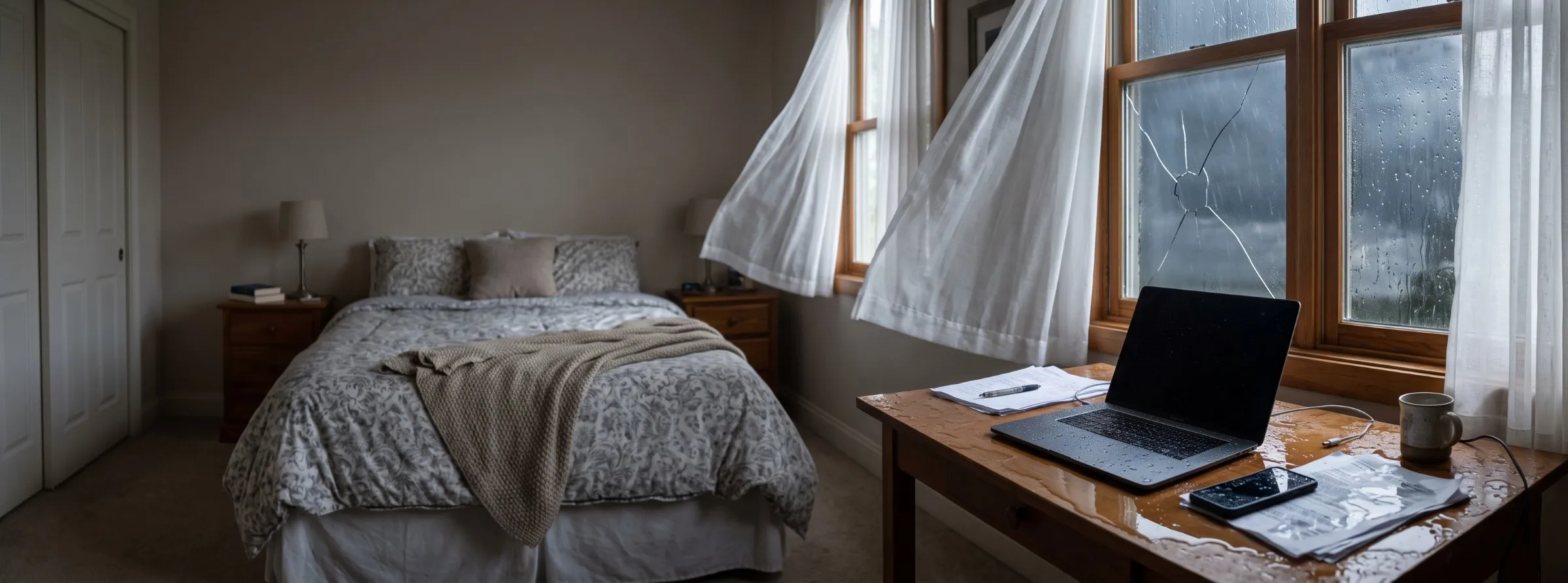

Water reaching a phone, a laptop, or a washing machine doesn't have to mean the item is ruined, but the wrong first move can make it worse. The industry standard for water damage restoration treats electronics and appliances as contents rather than structure, which means the same category and class system used elsewhere in a water loss also decides how these items get handled. What's actually safe to do first, which devices and appliances are usually salvageable, and what cleanup, repair, or replacement typically costs, all follow from that same classification.
That classification comes from ANSI/IICRC S500, and getting the first move wrong under it carries real cost in both directions. Throwing out a device or appliance that could have been cleaned and dried wastes money it didn't have to, while plugging one back in before it's actually safe risks a shock or a fire that has nothing to do with how dry the item looks on the outside.
Key insights
- Never power it on first. Turning on a wet phone, laptop, or appliance before it's checked is the single most common way a small splash becomes a total loss.
- Corrosion starts immediately, not after a delay. Unlike the mold risk in a flooded room, which develops over a day or two, corrosion inside a wet circuit board begins on contact with water.
- Water source matters as much as exposure time. Clean water from a burst pipe is far less corrosive than the contaminated water from a sewage backup or a flood.
- Rice doesn't dry electronics. Independent teardown testing has repeatedly found sealed containers with silica gel, or simple open-air drying, outperform the rice method.
- A built-in appliance and a portable one are covered differently. One typically falls under a homeowners policy's dwelling coverage, the other under personal property coverage.
- Gas appliances carry a second risk beyond the water itself. A damaged gas control valve or pilot assembly has caused flash fires when homeowners tried to relight it without an inspection.
Is it safe to turn them on?
No. Flipping a switch or plugging in a device before it's checked sends current through a wet outlet or connector that may still hold water, and that's the point at which a repairable splash often turns into permanent damage. UL's guidance on flood-immersed products puts it plainly: don't flip a switch or plug in anything that got wet until a qualified electrician or technician has confirmed it's safe.
 UL's guidance on flood-immersed equipment treats any switch or outlet that got wet as unsafe until a qualified electrician clears it, regardless of how dry it looks.
The same rule applies whether the item is a $30 phone charger or a $2,000 refrigerator. Water that looks like it evaporated from the outside of a device can still sit inside a connector, a control board, or a motor housing where it keeps conducting electricity and corroding metal contacts. A device that appears to work when first switched on can still fail, or start a fire, hours or days later once that hidden corrosion progresses.
What to do right now
Cut the power before you do anything else, since removing electricity from the equation is what makes everything else safe to do. Five steps get most water-exposed electronics and appliances through the first hour without making the damage worse.
 OSHA's flood response guidance treats cutting power at the breaker, not at the outlet, as the safe first step whenever standing water is near an electrical source.
1. Cut the power
Unplug the item if you can reach the plug without stepping into standing water. If the outlet itself is wet or you're not sure, shut off power at the breaker instead, following OSHA's flood response guidance on electrical hazards near water.
2. Don't power it on
Leave the device switched off even if it looks completely dry on the outside. A single attempt to charge a phone or start a washing machine can drive current through water still trapped inside a connector or control board.
3. Get it out of the water
Move the item to a dry, elevated surface. Every extra minute in standing water is more time for moisture to work into seams, vents, and ports it hasn't reached yet.
4. Remove the battery if you safely can
For a phone, laptop, or other device with a user-removable battery, take it out to cut the internal power source. Skip this step if it means forcing the case open, since that can do more harm than the water itself.
5. Document and call for an assessment
Photograph the item and the water level around it before you move anything else. Then call the right specialist for what got wet, an electronics restoration company, an appliance technician, or a water damage restoration company for anything tied into the home's wiring.
What not to do
Five specific habits turn a repairable splash into a total loss: charging or testing a device while it's still wet, applying heat to speed up drying, relying on rice as a desiccant, relighting a gas appliance's pilot without an inspection, and assuming a working appliance escaped damage entirely. Each one adds power, heat, or moisture back into something that needs the opposite.
 Independent teardown testing has found rice pulls only surface moisture and does nothing for water already inside a device, while loose grains can work their way into ports and speaker grilles.
Don't try to charge it to test it
A phone or laptop that seems to power on despite being wet can still short internally moments later, and plugging in a charger adds another live connection to a device that may still be damp inside.
Don't use a hair dryer or other heat source
Heat can warp plastic housings, damage battery cells, and push moisture further into a device rather than out of it. Room-temperature airflow works better than direct heat for anything electronic.
Don't rely on rice
Rice pulls a small amount of surface moisture and nothing more, and rice dust can work its way into ports, speaker grilles, and buttons where it causes its own problems.
Don't relight a gas appliance's pilot
A gas water heater or furnace that took on water needs its controls inspected before anyone attempts to relight it. The Gas Appliance Manufacturers Association has documented burns and flash fires from homeowners who skipped that step.
Don't assume a working appliance is undamaged
An appliance that runs after a flood can still have contaminated water sitting in an internal cavity, corroding components that will fail weeks later.
Why water damages them differently
Water hurts electronics and appliances through two separate mechanisms, and knowing which one applies changes how urgent the response is. A short circuit happens the moment water bridges two points on a circuit board that were never meant to connect, which can cause instant, permanent damage the second power reaches the device. Corrosion is slower but starts just as fast: dissolved minerals and contaminants in the water leave a conductive residue behind as it evaporates, and that residue keeps degrading metal contacts for as long as it's left in place, well before the EPA's 24 to 48 hour mold-risk window elsewhere in a flooded room even becomes a factor.
 Corrosion forms as dissolved minerals in the water leave a conductive residue behind as it evaporates, degrading a metal contact for as long as the residue is left in place.
Clean water and contaminated water don't behave the same way once they're inside a device, which is exactly what water damage categories track: Category 1 clean water from a burst pipe leaves comparatively little residue behind, while Category 2 or 3 water, from a sump pump failure, a sewage backup, or a flooding event, carries silt, salts, and organic contaminants that accelerate corrosion dramatically. A phone dropped in a clean sink has a meaningfully better outlook than one that sat in floodwater for the same amount of time.
Humidity and condensation risk
High humidity in a flooded room can damage electronics that never took a direct hit at all. Once the air's dew point rises above a component's surface temperature, water vapor condenses directly onto exposed circuitry and leaves behind the same kind of conductive film that direct contact does, so a device sitting untouched on a high shelf isn't automatically safe just because the outside stayed dry.
Moisture settling on dust that's already inside a device can combine into a thin, conductive layer capable of shorting a component with no water ever touching it directly. That risk stays elevated for as long as the air in the room stays saturated, which is the same reason the structural drying equipment already running for the room itself helps protect anything electronic left inside it. A basement or other ground-floor room carries this risk longer than an upper floor, since a flooded lower level typically takes days to fully dry out even after standing water is gone.
Water damaged phones, laptops, and TVs
Consumer electronics respond best to a fast, cool, low-humidity environment and the least handling possible before a professional looks at them. The single biggest mistake is powering the device on to "check" it, since that's exactly the moment a splash can turn into a short circuit that a proper drying period would have prevented.
 Inverting a laptop with the keyboard facing down lets gravity pull water away from the internal components rather than toward them.
For a phone or tablet, remove any case and set it upright on a dry towel in a room with good airflow rather than sealing it in a bag of rice. A sealed container with fresh silica gel packets works better than rice if you want something more active than open air, since the packets are engineered to pull moisture without leaving residue or dust behind. Leave the device off for at least 24 to 48 hours before attempting to power it on, longer if it was submerged rather than splashed.
Laptops and desktop computers carry more internal components and more risk from a DIY approach. Unplug the machine, remove the battery if it's user-accessible, and tip it to drain any pooled water rather than shaking it, which can spread moisture to parts it hasn't reached. A laptop that was submerged, rather than just splashed on the keyboard, is a strong candidate for a professional electronics restoration service rather than a home fix, since technicians there use isopropyl alcohol baths and controlled disassembly to displace water and clean corrosion from a circuit board without damaging surrounding components.
TVs and other home theater equipment behave similarly to laptops: unplug, don't power on, and let the unit sit upright in a dry room. A large flat-panel TV that was standing in water rather than lightly splashed usually isn't worth a repair attempt given how the display panel itself typically fails first and costs more to replace than the whole unit.
Battery swelling and fire risk
A battery that's swollen, hot to the touch, or leaking is a fire hazard separate from ordinary electrical shock risk, and it needs to be isolated rather than simply set aside to dry along with the rest of the device. Water reaching a lithium-ion cell can trigger an internal short that builds heat gradually, sometimes hours after the original exposure, which is why the CPSC's Fire Safety Information Center treats water and debris exposure as a specific lithium-ion battery hazard rather than routine device damage.
 The CPSC's Fire Safety Information Center treats water exposure as a specific lithium-ion battery hazard, since a swollen or hot cell can ignite hours after the original exposure.
Move a swollen or hot battery outside and away from anything flammable, setting it on a nonflammable surface like concrete rather than a wood floor or countertop, and don't puncture it or try to press it flat. A battery that's already burning won't respond to water or a standard fire extinguisher, so the right move is getting everyone out and calling 911 rather than attempting to put it out directly. A damaged lithium-ion battery, whether it's removable or sealed inside the device, never goes in household trash or curbside recycling; a household hazardous waste collection site is the correct disposal path.
Does a water resistance rating matter?
Yes, to a degree, but a water resistance rating isn't the same thing as waterproof, and treating it that way is one of the most common reasons a supposedly resistant phone still fails. An IP67 or IP68 rating, the industry's ingress protection scale, describes how a device performed in a single controlled lab test on a brand-new seal, not how it holds up after repeated exposure, hot water, or a drop from height into water.
That lab test covers fresh water at a specific depth for a specific number of minutes. Salt water, pool chemicals, hot water, and a seal that's already worn from age or a prior drop all fall outside what the rating actually promises, which is why a rated device that's been in water still gets unplugged, dried, and watched rather than assumed to be fine. A laptop marketed as spill-resistant makes an even narrower claim than an IP rating, since that usually describes a drain channel built into the keyboard for a spilled drink lasting a few seconds, not protection for the rest of the machine, so the same power-down and drying steps still apply.
Water damaged major appliances
Major appliances fail differently than handheld electronics because the risk usually sits in the motor, the control board, or the electrical connections rather than a screen or a battery. A washing machine, dryer, dishwasher, or refrigerator that took on water at or above the control panel needs a technician's inspection before it runs again, even if it otherwise looks unaffected.
 A washing machine's control board is what a technician checks for corrosion and shorting before the unit is cleared to run again after standing water reaches it.
An appliance that got wet as a bystander in someone else's water event is a different situation from an appliance that leaked and caused the damage itself. When a dishwasher leak or a washing machine leak is the source rather than the victim, each works through that specific appliance's own cause, diagnosis, and repair in depth.
The same distinction holds for a water heater leak or a refrigerator leak: both are worth separating out, since figuring out why an appliance failed is a different problem than cleaning up an appliance that only got wet because something nearby failed. A water heater corroding from the inside needs a plumber's diagnosis, while a refrigerator that got wet because a nearby unit failed just needs drying and an electrical check.
For a refrigerator or freezer, the compressor and control board sit low, near where floodwater collects, so a unit that stood in even a few inches of water for an extended period often needs the sealed refrigerant system checked by an appliance technician rather than just wiped down and plugged back in. A washer or dryer that took water into the motor housing or electronic control panel faces a similar risk, since the same corrosion that threatens a laptop's circuit board threatens an appliance's control board just as directly.
Gas appliances carry an added risk
A gas water heater, furnace, range, or dryer that's been in floodwater carries a hazard beyond the electrical one every other appliance shares. Grit, corrosion, and moisture inside a gas control valve or pilot assembly aren't visible from outside the unit, and the Gas Appliance Manufacturers Association has documented flash fires and burns from homeowners who relit a damaged valve without that inspection first.
A damaged venting system or a malfunctioning burner carries a second risk beyond the fire hazard, since it can let carbon monoxide build up indoors without any obvious sign until symptoms appear, a hazard the CPSC's Carbon Monoxide Information Center covers in detail. A qualified gas technician needs to inspect the controls, valves, and venting on any gas appliance that touched floodwater before it's used again, the same way an electrician clears an electric appliance's wiring first.
Which devices survive water damage?
Some categories of electronics have a meaningfully better survival record than others, largely based on how sealed their internal components are and whether a battery keeps feeding current to a wet circuit after the event. A device with a power source that's easy to fully disconnect tends to fare better than one that stays partially live no matter what's done to it.
 Survival odds track how sealed a device's internal components are and whether its battery stays connected to power, not its price or brand.
Devices with generally better odds
These items tend to have simpler internal wiring, more physical separation between components, or a power source that's easy to isolate completely.
- Desktop computers, if only the case or an external cable was exposed and the power supply itself wasn't submerged
- Appliances with sealed electrical components, like a compressor-driven refrigerator that only took on water at the base
- Remote controls, keyboards, and other simple, battery-powered accessories
- Landline phones and other basic corded devices
Devices with generally worse odds
These share a dense circuit layout, a battery that can't be fully isolated, or components packed close enough together that a small amount of water reaches several parts at once.
- Smartphones and tablets without a water resistance rating
- Smart speakers, smart home hubs, and other always-on devices
- TVs, soundbars, and other equipment with an internal power supply
- Gaming consoles
- Window and portable air conditioners
Can water damaged electronics be fixed?
Yes, often, when the device was unplugged quickly and never powered on while wet. The realistic outlook depends on three factors working together rather than any single one: how the item was exposed, how contaminated the water was, and how quickly it was handled afterward.
 A continuity or insulation resistance test catches a corroded trace that a visual check alone would miss, which is why a device that looks fine can still fail a technician's diagnostic.
A technician confirms that outlook with a diagnostic test rather than a visual check, since a device that looks fine on the outside can still have failing continuity across a corroded trace. That test, not the device's age or price, is what actually decides whether cleaning and reassembly are worth attempting.
| Exposure | Water type | Response time | Outlook |
|---|---|---|---|
| Light splash, wiped immediately | Clean | Under 1 hour | Good; often fine with no repair |
| Splash or spill, left sitting | Clean | 1–24 hours | Fair; professional cleaning improves odds |
| Brief submersion | Clean | Under 24 hours | Fair to poor; depends on device |
| Submersion or floodwater contact | Contaminated | Any length | Poor; replacement usually more practical |
The pattern that shows up across every device type is the same one water damage categories track elsewhere in a loss: the water's contamination level and how long it sat matter more than the device's price tag. A $150 speaker splashed with clean water and dried fast can outlast a $2,000 laptop that sat in a flooded basement for two days.
A device that seems to have dried out fine can still be hiding damage that only shows up later, often days or weeks after the event once trapped moisture has had time to corrode a connection that looked fine at first.
- Intermittent shutoffs or a device that restarts on its own
- A battery that drains far faster than it used to
- A musty or metallic smell coming from vents, ports, or seams
- Visible corrosion, a white or greenish crust, at a connector or battery contact
- An appliance that runs but trips a GFCI outlet or breaker repeatedly
DIY drying vs a professional
A quick, at-home response is reasonable for a lightly splashed device that's never been powered on wet. Anything submerged, exposed to contaminated water, or already showing a malfunction needs a professional, since that's the point where opening the case yourself risks doing more damage than the water already did. A simple cost comparison settles most borderline cases: if professional cleaning would cost more than roughly half of what a new replacement runs, replacement is usually the more practical choice. A phone or a small kitchen gadget rarely clears that bar, while a higher-end laptop or a major appliance often does.
| Factor | DIY-reasonable | Call a professional |
|---|---|---|
| Exposure | Light splash | Submersion |
| Water type | Clean | Contaminated (Category 2–3) |
| Device value | Low, easily replaced | High value or irreplaceable data |
| Symptoms | None yet | Won't power on, smells burnt, corrosion visible |
An electronics restoration specialist has access to controlled disassembly, isopropyl alcohol baths, and ultrasonic cleaning that a home attempt can't replicate, and those methods are specifically what separates a device that gets a second life from one that doesn't. The same logic applies to a major appliance: a technician can pressure-test a refrigerant line or bench-test a control board in ways a homeowner can't, which is exactly why hiring a certified appliance technician or restoration specialist tends to pay for itself on anything beyond a light splash.
Who to call
The right call depends on what got wet and how it's connected to the rest of the house. A standalone device like a phone, laptop, or TV goes to an electronics restoration specialist or the manufacturer's authorized repair center, while a major appliance goes to an appliance technician for the unit itself.
 A standalone device goes to an electronics restoration specialist or the manufacturer, while a built-in appliance or anything wired into the home's panel needs a licensed electrician first.
If the same event also caused water damage to flooring, cabinetry, or drywall around the item, a water damage restoration company handles that structural side of the job separately. That company typically isn't the one repairing the device or appliance itself, just the surrounding structure it sat in.
The same questions to ask a water damage restoration company before hiring one apply here too, particularly around whether the company itself handles contents like appliances or only the structure. Some companies subcontract content restoration to a separate specialist, which is worth confirming before assuming one visit covers everything.
Hard-wired equipment, a built-in appliance, a security system, or anything tied into the home's electrical panel, should go through a licensed electrician first regardless of how minor the exposure looked. That's the one category where "just try turning it on" carries a real shock or fire risk rather than just a repair-cost risk.
Data recovery from a wet hard drive
A mechanical hard drive's spinning platters can often survive water exposure that destroys the drive's outer circuit board, which is the reason data recovery is sometimes possible even when the computer itself is a total loss. The same rule that applies to any other wet electronic device applies here too: never power the drive on after it's been wet, since spinning up a platter with moisture or debris inside can scratch the surface and destroy the data permanently.
A data recovery lab works in a clean room environment, swapping the drive's external circuit board or read heads onto the surviving platters to recover files without ever powering the damaged components. Solid-state drives don't have the same mechanical advantage, since their memory chips can be damaged directly by corrosion, though a lab can sometimes still recover data by reading the chips independently of the drive's own controller.
What does repair or replacement cost?
Cost splits into two distinct tracks depending on the item: professional cleaning and repair, which runs from about $100 to $600 for most consumer electronics and appliances, or straight replacement, which can run from under $100 for a small kitchen gadget to several thousand dollars for a major appliance or a high-end television. A phone or tablet usually lands in the first track since replacement is rarely necessary, while a refrigerator or a high-end TV is more likely to end up in the second once the damage is severe enough to warrant repair or replacement rather than a simple cleaning.
 Same-day emergency service can add a flat dispatch fee on top of whatever the repair itself costs.
Data recovery, a brand-specific control board, and same-day emergency service each push a repair toward the higher end of these ranges, while a basic cleaning with no parts replacement lands at the low end even for a higher-value device. A same-day emergency call alone can add a flat dispatch fee on top of whatever the repair itself costs.
| Item | Cleaning/repair | Replacement |
|---|---|---|
| Phone or tablet | $50–$200 | $200–$1,200 |
| Laptop or desktop | $150–$600 | $500–$2,500 |
| TV or home theater | $100–$400 | $300–$3,000+ |
| Small kitchen appliance | Usually replace | $30–$300 |
| Washer, dryer, or dishwasher | $150–$600 | $600–$2,000 |
| Refrigerator | $200–$700 | $800–$3,500+ |
A single-room event, one soaked laptop and a splashed lamp, sits at the low end of that range. A whole-home flood involving several appliances and multiple pieces of electronics can push the combined bill well into the thousands once water damage restoration cost for the structure itself is added on top.
Does homeowners insurance cover this?
Usually, yes, as long as the water event that caused the damage is itself a covered peril under the policy. Electronics and portable appliances are personal property, covered under Coverage C, while a built-in appliance wired into the home's structure typically falls under dwelling coverage instead, which matters because the two often carry different limits and deductibles.
The same sudden-and-accidental standard that governs homeowners insurance for water damage generally applies here: a burst pipe that soaks a home theater system is a covered loss, while a slow, unnoticed leak that corrodes an appliance's control board over months typically isn't. The distinction comes down to how the insurer's adjuster classifies the cause, not how expensive the damaged item turned out to be.
That same line applies to the rest of the home too, per NAIC's consumer guidance on homeowners insurance, and flooding follows the same exclusion here as well, meaning a standard policy won't pay for electronics or appliances damaged by rising floodwater without a separate flood policy in place. High-value electronics, a home theater system, a gaming setup, specialized equipment, can run into a standard policy's sublimit for that category faster than homeowners expect, since personal property coverage often caps electronics at a set dollar amount regardless of the overall Coverage C limit. A scheduled personal property endorsement removes that cap for named items. Good documentation of water damage for insurance matters as much here as anywhere else in a claim: photograph each device or appliance, its condition, and the water level around it before anything is discarded or repaired, since a thrown-out item with no supporting photo is much harder to get reimbursed for.
Preventing water damage
Most water damage to electronics and appliances comes from where they're placed and how they're plugged in, not from a single dramatic event, though a storm warning or a rising river expected to cause flooding is worth acting on immediately. A handful of standing habits keep both categories out of harm's way year-round, and the same habits tell you exactly what to do once a warning is active.
 Elevating equipment above the expected water line before a storm arrives works better than any drying method after the fact.
Keep electronics and appliances elevated
Power strips, chargers, and equipment stay off the floor in any room prone to leaks or flooding, and a washer, dryer, or water heater set on a raised platform in a basement or ground-floor utility room sits above the first few inches of water in a minor event. When a storm or flood warning is active, extend that habit further: move portable electronics to a higher shelf or floor entirely, and set anything that can't be relocated on blocks or a table, wrapped in plastic sheeting if time allows.
Unplug anything that can't be moved before a storm
A de-energized appliance or device is safer to leave in place than one that's still live if water does reach it.
Use a leak sensor near vulnerable equipment
A battery-powered water sensor near a home theater setup, a server closet, or a major appliance can trigger an alert before water reaches the electronics rather than after.
Back up data before it's an emergency
Cloud storage or an external drive kept in a different location protects files even if the primary device is a total loss.
Address a known leak immediately
A sign of water damage near an outlet or appliance is worth investigating the same day rather than waiting, since slow leaks are what corrode a control board long before anyone notices a puddle.
The same storm and hurricane preparation that protects the rest of the home, clear gutters, a tested sump pump, applies just as directly to anything plugged into an outlet. Skipping that prep because the damage would only hit a phone or a TV rather than the structure itself is how otherwise avoidable losses happen.
Once water is already inside and rising, the priority shifts from protecting electronics to the broader emergency water damage response steps that come first. A phone or a laptop can be replaced; getting people and pets out of a rapidly flooding room can't wait for anyone to unplug a television first.
Frequently asked questions
Is it safe to turn on a phone, laptop, or TV that got wet?
Not right away, even once it looks dry. Wait at least 24 to 48 hours for a phone or small device, longer for anything submerged or exposed to contaminated water, before attempting to power it on, and treat that first attempt as a test rather than confirmation the device is fine.
Does the rice trick actually dry out a wet phone?
No. Rice pulls a small amount of surface moisture but does nothing for the water already inside the device, and rice dust can work its way into ports and buttons. A sealed container with silica gel packets, or simply leaving the device open to airflow in a dry room, outperforms rice in independent teardown tests.
Can water damaged electronics be fixed?
Often, yes, if the device was unplugged and never powered on after getting wet. A phone or laptop splashed with clean water and dried within a few hours has a real chance; a device submerged in contaminated water for days, or one someone tried to charge while still wet, usually doesn't.
How long does it take for a wet appliance to be safe to use again?
Usually a few days to about a week once a technician inspects it, not a fixed number of hours. A control board, motor, or heating element that took on water needs that inspection and often parts replacement before the appliance runs again, and the timeline is set by the diagnosis, not by how long the outside has looked dry.
Should I throw away a refrigerator or washing machine that got flooded?
Not automatically. If water stayed below the control panel and motor housing, a technician can often clean and re-certify the unit. If the water reached the electronics, the compressor, or the motor windings, replacement is usually cheaper and safer than repair.
Is it safe to run a gas appliance after it's been in floodwater?
Not until a technician inspects it and clears it in writing. If it's already been relit and used without that inspection, a persistent gas odor, a pilot flame that won't stay lit, or scorching near the burner are signs to shut it off and call for an inspection immediately.
Does homeowners insurance cover water damaged electronics and appliances?
Usually, yes, but often at actual cash value rather than full replacement cost unless the policy specifically covers personal property at replacement cost. A five-year-old laptop's payout reflects its depreciated value, not what a new one costs today, which is worth checking on the declarations page before assuming a payout will cover a full replacement.
Are built-in appliances covered differently than a TV or a laptop?
Yes, and the distinction can get invoice-specific: a garbage disposal or a built-in microwave gets bundled into a homeowners claim's dwelling repair line item, while a countertop microwave or portable dishwasher gets listed separately on the personal property inventory, even though both sat in the same kitchen and took on the same water.
Can a water damaged hard drive still be recovered?
Sometimes, especially if it was never powered on after getting wet and a data recovery lab opens it in a clean environment. The platters inside a mechanical hard drive can survive a soaking that destroys the drive's outer electronics, but only a lab equipped to swap components in a dust-free space should attempt the repair.
What's the difference between a splash and a submersion for salvage odds?
A splash wiped up in seconds keeps a meaningfully better outlook than a submersion, since it rarely reaches an internal connector at all. Submersion time and water depth both correlate directly with how deep water traveled into seams, ports, and vents that a quick splash never reaches.
Does it matter if the water was clean or contaminated?
Yes, significantly. Clean water from a burst pipe leaves far less residue than the contaminated water from a sewage backup or flood, which carries silt, salts, and organic material that accelerate corrosion and can make an electronics restoration company decline the job outright.
Can I clean water damaged electronics myself?
Yes, for a simple device; no, for anything with exposed internal components. Unplugging a phone or a remote and letting it air dry is reasonable on its own, but a laptop, a smart appliance's control board, or a security system is safer left to a technician or electronics restoration specialist, since opening the case yourself can push moisture deeper or damage a seal.
Will a water damaged appliance's warranty still apply?
Rarely for the water damage itself. Manufacturer warranties typically cover defects in materials or workmanship, not damage from an external water event, so a flooded dishwasher's warranty won't pay for water-related repairs even if the unit is still under its original coverage period.
How does a technician actually confirm a device is safe to use again?
By testing for continuity and insulation resistance rather than just plugging it in and watching what happens. A visual check alone misses the corroded trace or degraded insulation that causes failure days or weeks later, which is why a professional clearance means more than a device simply turning back on.
Sam Hickerson is the founder of RestoreAdvisor and writes consumer guides on mold remediation, water damage restoration, inspection, testing, and home recovery. His work focuses on helping homeowners understand costs, risks, and when to call a professional. He draws on guidance from the EPA, CDC, IICRC, and other authoritative sources to make complex home issues easier to navigate.